
Layer selection
This bar shows tools and all available layers for the corresponding Screen
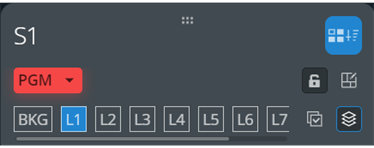
 Transition selection⚓
Toggle to include / exclude the Screen or Aux from transition selection.
 Lock⚓
Lock⚓Toggle to lock / unlock the selected PGM or PRW Screen.
When locked, layers cannot be modified; Memories cannot be loaded but transition can be triggered.
 Layout editor⚓
Open the layout editor.⚓
For more information, see Screen layout editor.
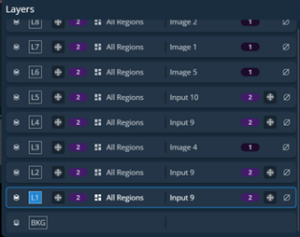
 Detailed view of all layers⚓
Open a detailed view of all layers in the selected Screen (layer capacity, associated regions, source label and source capacity).
- Click
 to empty the layer content and keep other properties.
- Click
 to freeze layer* / input.
* only current layer content is frozen; layer properties can still be modified
- Select all layers⚓
 Select all layers in this Screen.
 Deselect all layers in this Screen.
 - PGM or PRW Screen options⚓
Open the Screen options.⚓
For more information, see PGM and PRW buttons – Screen controls.
Tip :
- Hold Ctrl or Shift to select multiple layers.
- Scroll the slide bar under the Layer letters to access the layers that are not displayed.