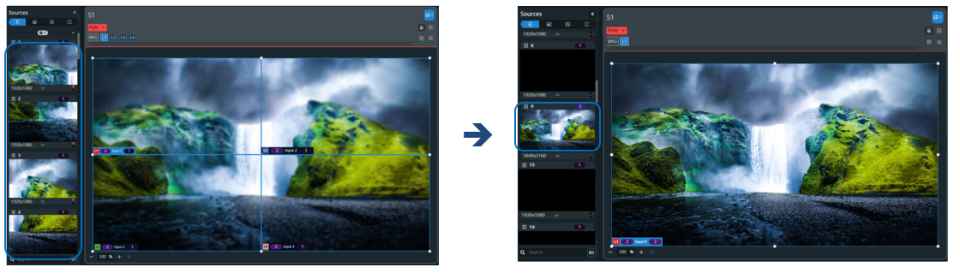
Input group
Concept : Input group⚓
Grouping inputs optimizes the processing resources of the VPU and saves layers in Screens. It allows more inputs in the same VPU.
It is possible to group up to four inputs together (ex. four 1920x1080 inputs can be used as one 3840x2160 source for a 4K output).
*Not supported for NDI inputs.
Example : How it works⚓
- An input can only be grouped with the following input in the same input card.
- It is possible to group four live inputs.
- The group leader is always the input with the lowest number (ex: If input 7 and 8 are grouped together, then input 7 is the leader and input 8 is set as Grouped).
- Input settings available in the input menu are common for all inputs in the group (color space, patterns, crop, keying, etc.).
Note :
- When grouped together, every input must have the same format and the group bandwidth is limited to capacity 2 (total pixel space is limited to 4096x2160).
- If the Internal rate is set above 60Hz, input resolutions beyond 2560x1600 will not be supported no matter the frame rate.
Example : Input group examples⚓
Group four live inputs (in 1x4, 2x2 or 4x1) and use them as one source in one layer.
Or
Set a quad HDTV live input as background content for a 4K output group.