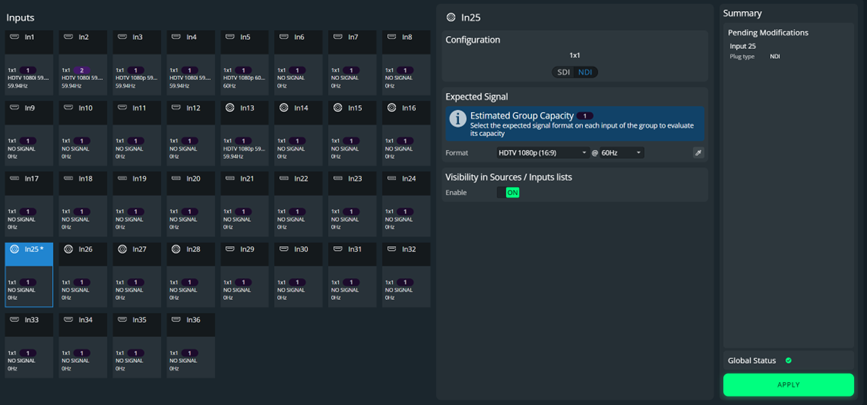
Set an NDI input
The IP/SDI input card can accommodate up to 4 full bandwidth NDI streams in parallel, or 4 12G-SDI sources, or any combination of the two.
Note :
The NDI inputs cannot be grouped. The only possible configuration is 1x1.
Connect an RJ45 cable and, if needed, a required number of 12G-SDI sources on the same input connector card on the rear panel.
In Preconfig > Inputs, select an IP/SDI input.
In Configuration, select an NDI plug (or SDI for 12G-SDI).
In Expected Signal, set the format applied to every input.
Click Apply.
The input connector is modified according to the selected plug type.