Advanced audio routing (single channel)
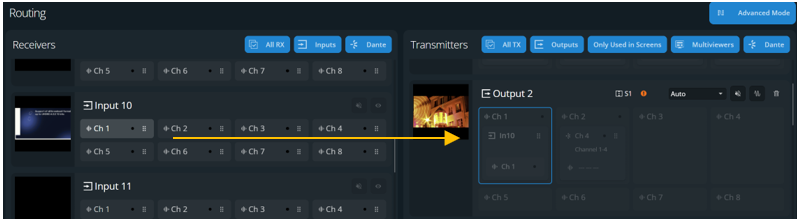
Advanced audio routing assigns one single audio channel of a receiver to one audio channel of a transmitter.
In  Audio > Routing⚓
In the top bar, enable Advanced Routing Mode.
Drag and drop a receiver channel to a transmitter channel.
The selected audio channel of the receiver is routed to the selected audio channels of the transmitter.