
Audio routing
In  Audio > Routing⚓
- Assign audio channels from receivers to transmitters
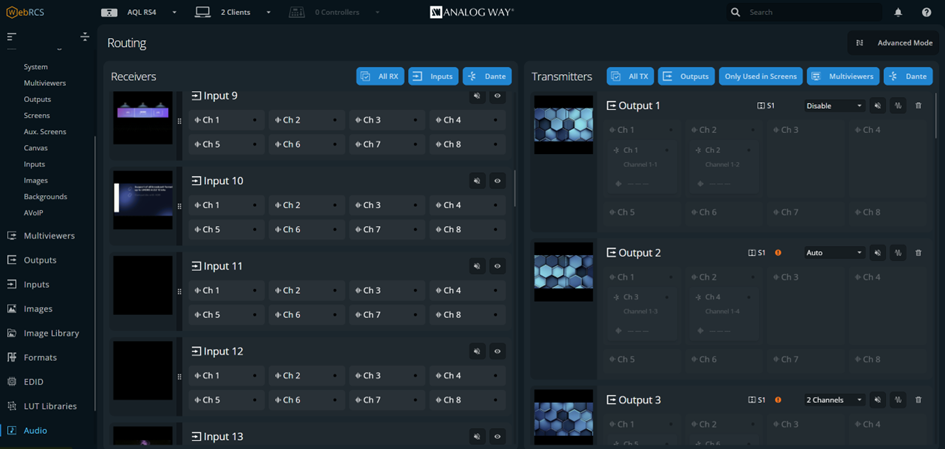
LivePremier units can mix all audio channels. It is possible to route:
- inputs to outputs (and multiviewers)
- inputs to Dante
- Dante to outputs (and multiviewers)
- Dante to Dante.
Note :
8-plug HDMI inputs support up to 4 audio channels per input.
Audio routing menu:⚓
Click
 to mute the selected audio channels.
Click
 to highlight transmitter channels using this receiver channels.
Channel transmitters (Outputs and Dante OUT) audio channels are in the right-side panel:
Click
to mute the selected audio channels.Click
 to send audio test tone.
Click
 to delete the audio routing.
Set the number of channels to send (outputs only)
Enter (or reset) channel labels (Dante only)
Example : Top bar:⚓
- Use the filter buttons to show/hide audio channels.
- Enable Advanced Routing Mode for single channel routing.