
Widget selection
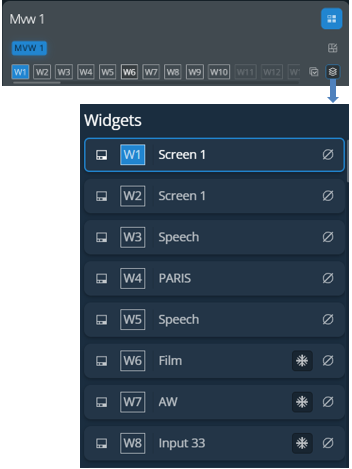
This bar shows tools and all available layers for the corresponding Screen.
Widget selection | Setting | Description / Setting selection |
|---|---|---|
 |  | Select the Multiviewer for Memory load or Select all widgets button in bottom bar |
 | Open the layout editor, see Multiviewer layout editor | |
 | Open a detailed view of all widgets in the selected Multiviewer (source number) - Click - Click | |
 | Select all widgets in this Multiviewer | |
 | Deselect all widgets in this Multiviewer |


Tip :
- Hold Ctrl or Shift to select multiple widgets.
- Scroll the slide bar under the Widget letters to access the widgets that are not displayed.