
Link troubleshooting
Go to Dashboard > Link if an error was reported.
The connection issues are identified in Cable Overview window.
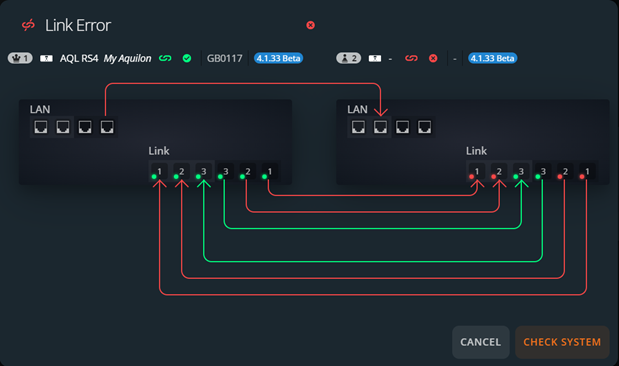
Cable Overview Check the physical connection of the cable(s) in error and reconnect them properly.
The cable becomes orange in Cable overview.
Click Check system to verify if the communication between devices is valid.
Note :
- Checking the connection of QSFP cables takes a few seconds and may result in the outputs blink.
- Checking the connection of Ethernet cables requires the resynchronization of devices and will restart the system.