
Layer selection and tools
Layer selection view | Setting | Description / Setting selection |
|---|---|---|
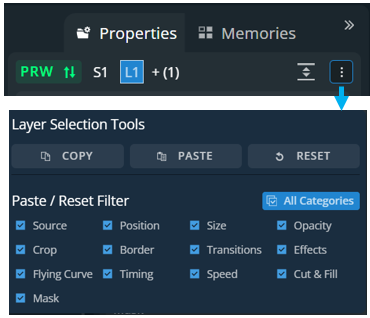 |  | Keep the layer selection and toggle to Program or Preview |
 | Current layer selection. The layer indicated is the Reference layer. The following layers will have the same settings applied if possible. | |
Copy / Paste / Reset | Click Copy, paste or reset multiple layer properties. By default, all layer properties are selected. | |
 | Expand to open all layer properties details | |
 | Collapse all layer properties |
