
Memories tab
In  Screens / Aux.⚓
 Memories tab is located in the right panel, next to the Properties tab.
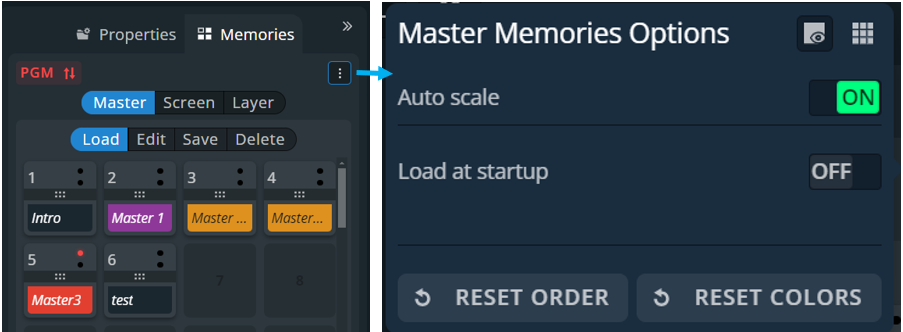
Button / Setting | Description / Setting selection |
|---|---|
 | Show / hide empty Memory slots |
 | Toggle the number of Memory slot per column (1; 2 or 4 per column) |
Auto Scale | Toggle to rescale the layers to fit the Screen(s) on load or keep the parameters as saved in the Memory |
Load At Startup | (Master Memories only) Enable and select a Master memory slot to be loaded in Preview and Program Screens when starting the LivePremier unit |
Reset order | Toggle to replace the memory slots in default order |
Reset colors | Toggle to remove colors previously assigned to each memory |
| The tallies turn red and green if the content is used in a |

